
How to personalize your cover letter with an agent's first name
Personalizing your emails in Repunzel™ is quick and easy! Follow these simple steps to add an agent's first name to your cover letters:
Find the Magic Button ✨
If you've started composing your cover letter, you'll notice that there is a small button on the email editor labeled "Insert Agent's name":
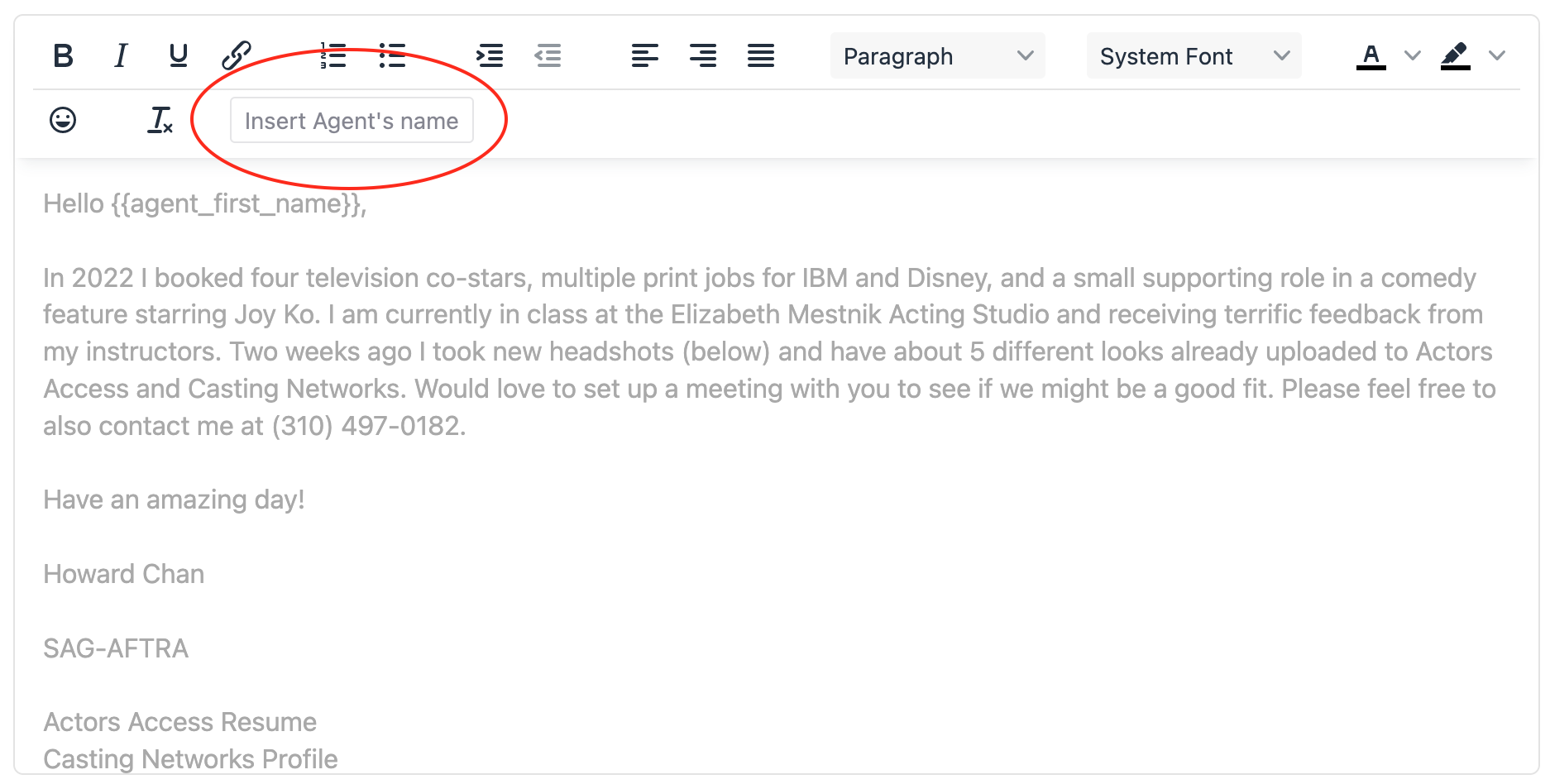
To add an agent's first name to your greeting (or anywhere in your email), simply:
- Click where you want the name to appear in your message
- Select the "Insert Agent's name" button from the email editor
This will automatically place the special code that transforms into each agent's actual first name when your emails are sent.
For example, if you wanted to begin your cover letter with "Howdy Howard!", you would:
First type your greeting (don't forget to add a space at the end!) like this: "Howdy "
Then, with the cursor where you want the agent's first name, click on the "Insert Agent's name" button to insert the name placeholder:
Which then automatically inserts the text "{{agent_first_name}}" right after "Howdy ". Do NOT edit the text inside the squiggly brackets or the name placeholder will not work!
Then finish off the greeting by typing an exclamation mark "!" (or punctuation of your choice) right after the last squiggly. It should look like this:
Howdy {{agent_first_name}}!
- Send yourself a test email first to see how it will look to recipients.

If you don't see your own name in the name placeholder of your test email, simply erase the name placeholder, including the squiggly brackets, and click the "Insert Agent's name" button again.
Here's how the magic happens:
When you click the "Send" our system works its magic by going through your agent list one by one. For each agent, it spots the {{agent_first_name}} code in your email and replaces it with that person's actual first name. Then—whoosh!—it sends that perfectly personalized email through your Gmail account.
You can literally sit back with your favorite drink and watch as Repunzel™ handles all the personalization work for you!
If you have any questions about personalizing your emails or other Repunzel features, our support team is always happy to help. Just email us at support@repunzel.com and we'll get you sorted in no time!